
You spotted a YouTube tutorial that would save you time at work, but you know your connection will be cut off during the train ride. Downloading this video in an offline-readable format, without installing any software, takes less than two minutes with the right tool. MPGUN is one of those online converters that focuses on simplicity rather than advanced options.
Convert a YouTube video offline: what it changes for your workflow
A trainer preparing a workshop, a community manager selecting clips for a brief, a student studying during commutes: they all share the same need. Having a local file, accessible without a connection, removes reliance on the network and the time wasted searching for previously viewed content.
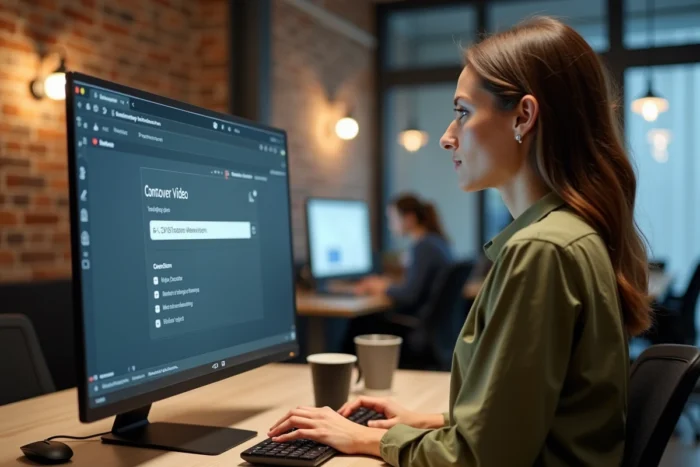
With an online converter like MPGUN, the video is transformed into an MP3 or MP4 file directly from the browser. No app to download, no account to create. You paste the YouTube video URL, choose the format, and the file is ready in seconds.
To better understand the process and discover how to convert YouTube videos with MPGUN, the process boils down to three steps: copy, paste, download.
MPGUN facing the tightening of YouTube’s downloading rules
Since 2023, YouTube has been strengthening its technical measures against third-party converters. Google regularly updates its terms of service, detection systems, and URL structure to limit content extraction outside the official ecosystem (mobile app, YouTube Premium).
Online converters experience temporary outages with each update from YouTube. This phenomenon has a direct impact on daily reliability.
MPGUN is not exempt from this reality. One day, the conversion works perfectly. The next day, after a technical change on Google’s side, the service may be temporarily inaccessible. Keeping a backup plan (another converter or YouTube Premium’s offline mode) remains prudent for regular professional use.
European legal framework and Digital Services Act
The regulatory context has also evolved with the gradual implementation of the Digital Services Act (DSA) between 2023 and 2024. This European regulation imposes better content and potentially illegal usage control on intermediary platforms.
In practice, converting a YouTube video for strictly personal use (revision, offline listening) generally poses no problem. However, redistributing the file, integrating it into a commercial production, or broadcasting it on another channel without the author’s permission exposes one to sanctions. The line between private use and public use should be kept in mind with each conversion.
MP3 or MP4 conversion with MPGUN: choosing the right format according to usage
Do you need the entire video or just the audio track? This simple question determines the format to select in MPGUN.
- MP3 for audio only: podcasts, lectures, online courses, royalty-free music. The file is lightweight, playable on all devices, and easily stored on a phone or USB drive.
- MP4 for the complete video: technical tutorials, visual demonstrations, presentations with slides. The file is heavier but retains both image and sound.
- File size and storage space: an MP3 file of a few minutes typically weighs a few megabytes. An MP4 of the same duration can take ten to twenty times more space depending on the original resolution.
MPGUN does not offer advanced settings (resolution, bitrate, cropping). This is both its limitation and its advantage. The interface remains stripped down, which speeds up handling for users who want a quick result without configuration.

Boosting productivity: integrating video conversion into a work routine
The conversion of YouTube videos becomes truly valuable when it is part of a repeated process. Let’s take a concrete case: a training manager who prepares a selection of content for their team every week.
Organizing converted files for quick retrieval
Downloading a file is quick. Finding it three weeks later in a cluttered “Downloads” folder is much less so. A few simple habits can change the game:
- Rename the file immediately after conversion with a consistent format (date, subject, source).
- Create a dedicated folder by project or theme, rather than storing everything in one place.
- Delete unnecessary files each month to avoid accumulation.
Productivity does not come from the conversion itself, but from the organization of the file afterwards. A quick converter paired with a messy filing system only shifts the problem.
When MPGUN is no longer sufficient
For more advanced needs (resolution selection, extracting a specific passage, batch conversion), desktop software is more suitable. MPGUN targets simple and occasional use. If you convert several dozen videos per week or need specific formats (MKV, FLAC), a tool installed on your machine will offer more control.
MPGUN is suitable for quick one-off conversions, not for intensive production workflows. Beyond a dozen files per week, desktop software with batch management will be more reliable and faster.